
A printer is one of the most essential things for a student epecially if you’re in a college dorm. Think about the intense printing sessions you have for your assignments, class projects, reports, term papers, and so on.
Besides that, a printer in the dorm room will help you keep the cost down. If that wasn’t enticing already, you won’t have to wait in line for printing ever again!
It’s important that when you are shopping around for some of the best printers for your dorm room, do factor in space as well. If possible, get a printer that doesn’t take too much space. It should be affordable and able to handle most of your printing, copying, scanning, or fax needs.
But picking the right one could be a painful task. That’s why we’ve researched thoroughly and found the best printers for dorm rooms!
Let’s begin!
Our Recommendations
- HP ENVY Photo 7855 – Best Overall
- Canon PIXMA TS9520 – Best In Features
- HP DeskJet 3630 – Best Lightweight Printer
- Brother HLL2395D – Best Lightning Fast Printer
- Epson ET-4760 – Best On-The-Go Printer
- HP Envy Photo 7155 – Best Space-Saving Printer
- Canon TS9120 All-In-One Printer – Best All-In-One Printer
- Brother Compact Monochrome Laser Printer, HL-L2350DW – Best Dual-Sided Printer
- Epson Expression ET- 2650 – Best Ink-Saving Printer
- Brother MFC-J775DW X Inkjet Printer – Best Reasonably Priced Printer
HP ENVY Photo 7855

To kick this article off, we’ve got the best printer for dorms. It’s the latest model of HP called the Envy Photo 7855. Though advertised mainly as a photo printer, it also does the job of regular printing.
Let’s begin with the size first. The HP Envy 7855 has a max dimension of 17.87 x 19.82 x 6.34 inches and weighs a mere 16.72 pounds. Whether you print, scan, copy or fax, this printer can do it. It also supports various types of papers from letters to envelopes. This printer can print it all.
The HP Envy boasts of a decent 15 PPM speed. It has a max 125 sheets input and 25 sheets output capability. Combine that with the 35 sheet ADF and you’ve got even more potential input capability.
As the HP Envy 7855 is the latest model, it features a 2.67’’ touch screen to navigate and use the printer. The connectivity options are pretty diverse too. You can use both Ethernet cable or Dual-band Wi-Fi to connect. There’s also a USB and SD card port available for you to print from external storage.
However, the only real complaint we have is that HP suggests using their ink cartridges. The cartridges from HP are expensive. Other than that everything is good.
Overall, the HP Envy is a well-rounded printer that would be perfect for dorms. We recommend it.
Pros
- It weighs a mere 16.72 pounds.
- It can print papers of various sizes, from letters to no 10 envelopes.
- Decent 15 PPM printing speed.
- It has a max 125 sheets input and 25 sheets output capability.
- It has a 35 sheet ADF.
- Supports both Ethernet cable or Dual-band Wi-Fi connection.
- USB and SD card port available.
Cons
- The recommended ink cartridges are costly.
Canon PIXMA TS9520

If you’re looking for a mid-high range printer with a good amount of utilities, then the Canon Pixma TS9520 would be ideal for you. This is also their latest model that contains all the necessary features!
Let’s begin with the dimension and weight. The Pixma TS9520 is a flatbed scanner with a dimension of 18.5 x 14.5 x 7.6 inches and weighs 21.3 pounds. That’s ideal for a dorm room. It also has an ADF (Automatic Document Feeder).
The printability is very versatile. It can print nearly all paper types and sizes. The paper sizes range from 3.5 x 3.5 to 11 x 17 inches. Meanwhile, the 4.3 inch LCD screen makes printing, scanning, and copying easier than ever.
The connectivity and usability of the Canon Pixma TS9520 are pretty advanced. It supports USB, Bluetooth, and Wi-Fi connections. The user can also print from their mobile devices. For that, they can use apps such as Airprint and Mopria!
However, many won’t be a big fan of the price tag. But the features that come with it are worth the price.
Overall, the Canon Pixma TS9520 is truly great for dorm rooms. If you can spend the extra bucks then you should go for it.
Pros
- Pretty lightweight at 21.3 pounds.
- It comes with an ADF.
- It can print paper up to sizes 11 x 17 inches.
- It supports USB, Bluetooth, and Wi-Fi connections.
- Print from mobile devices using Airprint and Mopria.
Cons
- Expensive
- Printed pictures can seem a bit dull if the ink has nearly run out.
HP DeskJet 3630
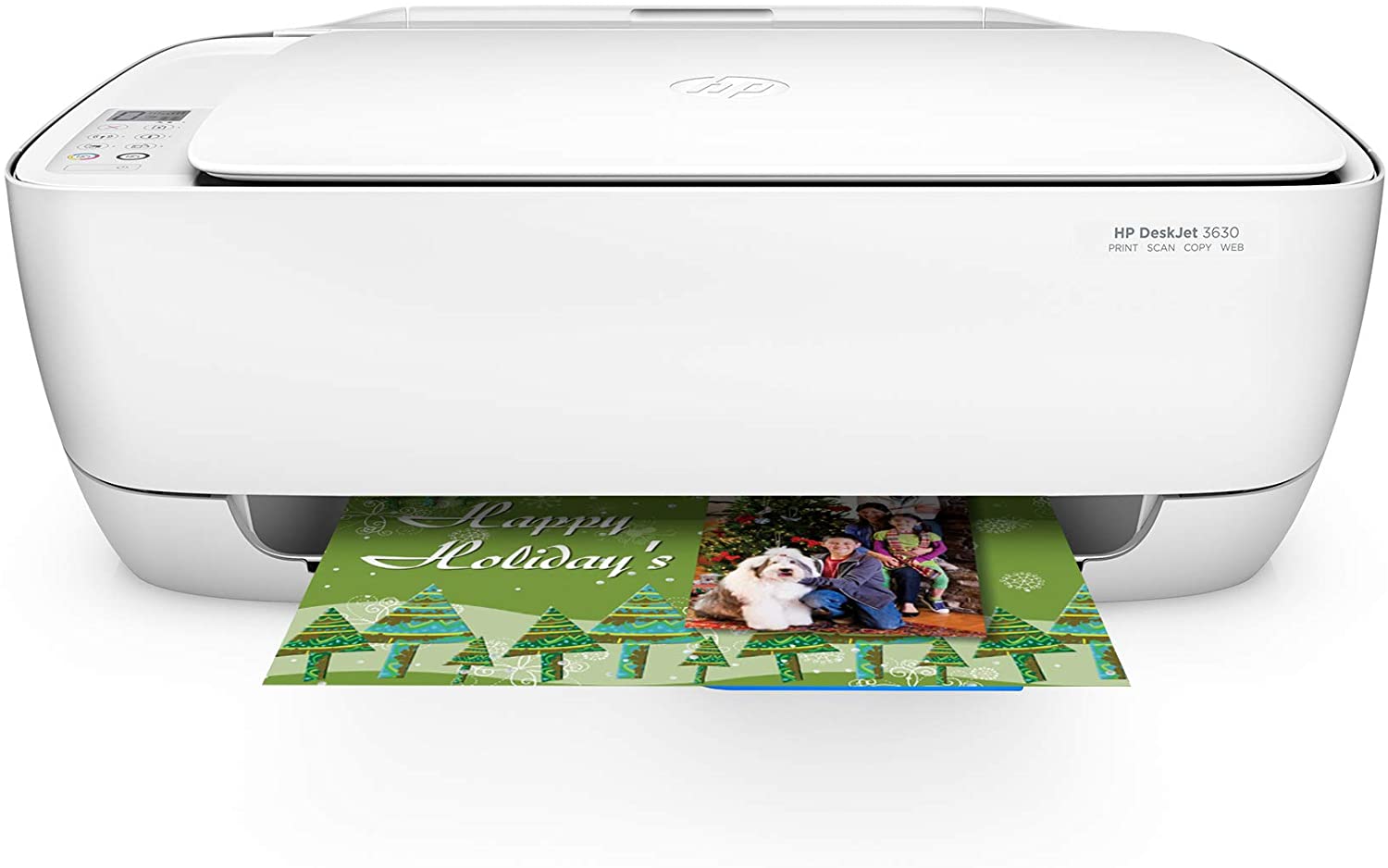
The HP DeskJet 3630 is the best budget option printer for dorms.
Let’s get one thing out of the way first. It’s a very basic printer with intentions of doing basic stuff. You might notice that there aren’t many features. However, let’s begin.
It’s the lightest printer on today’s list. At just over 9 pounds, you can just set it up at any corner of your dorm room. Another good thing is that the installation does not take much time. You can use it right out of the box, it also has an optional quiet mode that allows you to print without any noise.
The performance side of this printer is decent. You get an 8PPM speed with the DeskJet 3630. The DeskJet 3630 also comes with 100 pages worth of free ink. There’s also a 60-sheet input tray and a 25-sheet output tray.
As for connection, you can use both USB and Wi-Fi connections. You can also print through mobile devices with the help of the HP smart app.
Though it’s a pretty cheap printer, it comes at a price. You won’t be getting a lot of key features. Features such as ADF, Ethernet cable connection, and many other things aren’t included.
Overall, the HP DeskJet is a pretty decent option for dorms. Though it lacks a lot of features, it’s the best budget option printer for dorms.
Pros
- At 9 pounds, it’s the lightest printer on this list.
- The quiet mode lets users print without any noise.
- The 8PPM speed is decent.
- It comes with 100 pages worth of free ink.
- Supports Wi-FI and USB connection.
- Print from anywhere using the HP smart app.
Cons
- Lacks a lot of key features such as ADF and cloud printing.
Brother HLL2395D

Brother has been known to provide the best features within the least price. Their HLL2395DW model is no different. With good features at a reasonable price, this might just be your favorite choice.
First, let’s get the weight out of the way. The Brother HLL2395DW weighs just above 22 pounds making it one of the lightest printers on this list. Besides that, it comes equipped with a flatbed scan glass. This allows the printer to copy and scan at lightning speeds.
As for performance, the Brother HLL2395DW is a beast. It can print at 36PPM and has a sheet capacity of 250. You won’t have to spend time refilling trays. It also supports all sorts of paper from letters to legal sizes.
The connectivity of the Brother HLL2395DW is very simple. It supports wireless printing so you can easily connect from your mobile devices through AirPrint, Google Cloud Print 2.0, Brother iPrint and Scan, Mopria, Cortado Workplace.
You can also print and scan from Cloud services from the 2.7’’ touchscreen directly. Easily connect to Google Drive, Dropbox, or Evernote to download, scan, or print your desired document.
The lack of ADF is the only real concern we have regarding this printer. Another thing is that printed photos can be a bit sub-par at times.
The Brother HLL2395DW is a good printer that provides good features for the price. Though it has its downsides, it’s a good printer for dorms.
Pros
- At 22 pounds, it’s lightweight.
- The flatbed scan glass makes printing and scanning fast.
- The 36 PPM printing speed is really fast.
- Huge 250 sheet tray capacity.
- Simple one-touch connectivity through Wi-Fi.
- Supports a whole array of printing apps.
- Supports cloud printing.
Cons
- Lacks ADF.
- Printed photos can seem sub-par at times.
Epson ET-4760
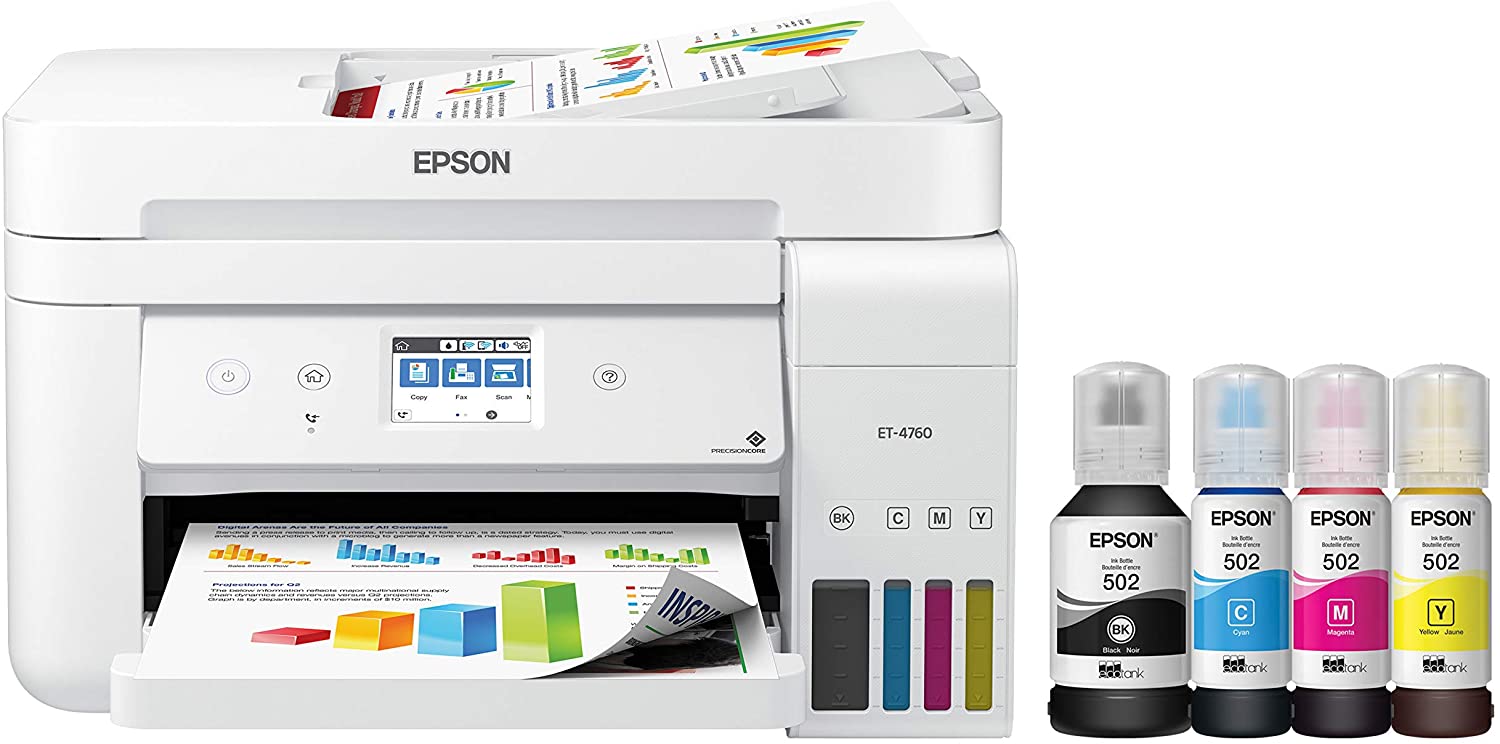
We’ve talked about a lot of printers for dorms in this article. But for the last one, we decided to go all out. If you’re looking to spend the most for a printer then there isn’t a better option than the Epson ET-4760.
The Epson ET-4760 is a pretty small printer. Its weight backs that claim. At just 18 pounds, this is the least weighted supertank printer that comes with 2 years worth of ink!
The performance section of this printer is pretty decent. It has a 15PPM speed. It also features a 30 sheet ADF. As refills are priced at a minimum of $13, you can print without worrying about extra costs of a refill.
The Epson ET-4760 has a great number of features. The 2.4’’ color touchscreen eases navigation. There’s also an automatic duplex printing feature. The 30 page ADF is also worth mentioning.
This printer features an array of connection methods. You can connect to the printer via Wi-Fi, Ethernet cable, or USB. You can also print through the dedicated mobile apps for printing on-the-go.
The only thing we complained was about the branded ink usage. Epson recommends using their ink. The branded Epson inks are pricey. Though we didn’t find or encounter any problem using other low priced inks, Epson recommends using their inks.
Overall, The Epson Ecotank is a printer worth its price. If you are willing to spend the extra amount, then there isn’t a better printer than this one.
Pros
- At just 18 pounds, this is the least weighted supertank printer`
- It comes with 2 years’ worth of ink
- An ADF that supports up to 30 sheets.
- It supports auto duplex printing.
- Connects via Wi-Fi, Ethernet cable or USB
- Print from mobile devices using the dedicated mobile app.
- Very low refill cost of $13
Cons
- Recommended ink cartridges are expensive.
- The printer itself is expensive.
HP Envy Photo 7155

This printer tops our list of best printers for dorm room use because of its multiple features as well as the size that ensures you still save on space. In addition, it’s also quite affordable.
As stated, this HP printer has the right balance for size, price, and features. With its sleek black color and a good enough size measuring 17.87 x 16.14 x 6.34 inches, it can comfortably fit on a dresser or desk. It supports both wireless printing and iOS printing due to the Air Print feature making it compatible with most if not all Apple devices.
Pros
- Besides the wireless printing and AirPrint features, it also has a USB connectivity that lets you quickly hook it up to an Apple or Windows computer and print your documents.
- The input tray has a sheet capacity of 125 papers which can go a long way for a college student especially when you don’t have to print a lot of stuff.
- Finally, this can be hooked up with automatic Amazon Dash replenishment for printer ink, which is always annoying to run out of!
Cons
- Printing multipage documents slows down the printer.
Canon TS9120 All-In-One Printer
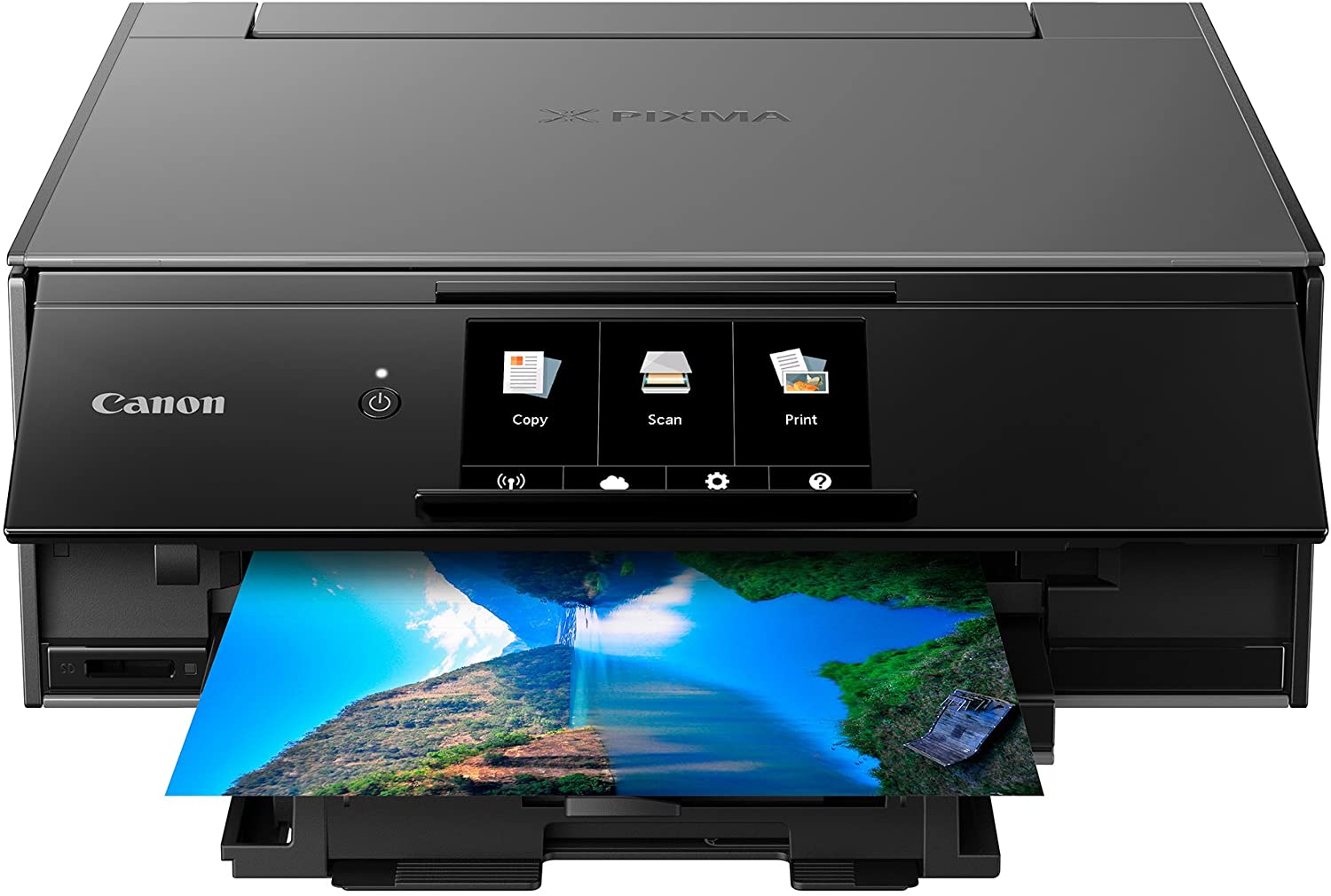
As an all-in-one wireless printer, this Canon lets you print, copy and scan. It’s also received great reviews for being dependable when it comes to print speeds for both photos and text.
This Canon printer is available in three different colors – red, two-tone gray, and gold. These could help bring some color to your dorm room. Since Canon wants you to produce some great photos, it has six individual color inks.
Pros
- You are able to copy and scan as the printer has both functionalities.
- It allows you to print through Google Could and AirPrint wireless printing technology.
- The five-inch LCD touchscreen adds to the user interface as it enables you to easily set up the printer as well as do extra configurations like adding creative effects to your photos before printing.
- The printer also supports Blu-Ray and CD/DVD disc printing, loading images from a memory card directly, and business card printing.
Cons
- Both the wireless scanning and printing need a working network with wireless 802.11b/g /n/ac.
Brother Compact Monochrome Laser Printer, HL-L2350DW

When looking to buy a printer for your dorm room, an important factor to consider is the estimated pages the printer can churn out when printing as this will save you time. This is what makes the Brother Monochrome laser printer stand out as it’s able to print 32 pages per minute.
The tray has a capability of 250 sheets which reduces the number of times you will need to keep loading the tray with papers for both letter-sized and legal papers. The printer has a dual-sided printing that helps reduce the ink usage thereby helping you save money.
Pros
- The printer has additional printing options like envelopes or cardstock giving you an all-around printing capability.
- Its size allows it to fit on your study desk or dresser, and is built for efficiency.
- With wireless printing, this Brother Compact Monochrome laser printer lets you print work from your smartphone, tablets, desktop, and tablets.
- Exceptional support for its buyers are available via its free live chat support as well as free online calls to ensure that you have the best experience when using their products.
- You can choose to activate the Amazon Dash Replenishment feature that tracks your ink usage and orders on Amazon when your ink starts running low ensuring that you will always have ink.
Cons
- Has issues with ‘waking up’ when it goes into sleep mode.
Epson Expression ET- 2650
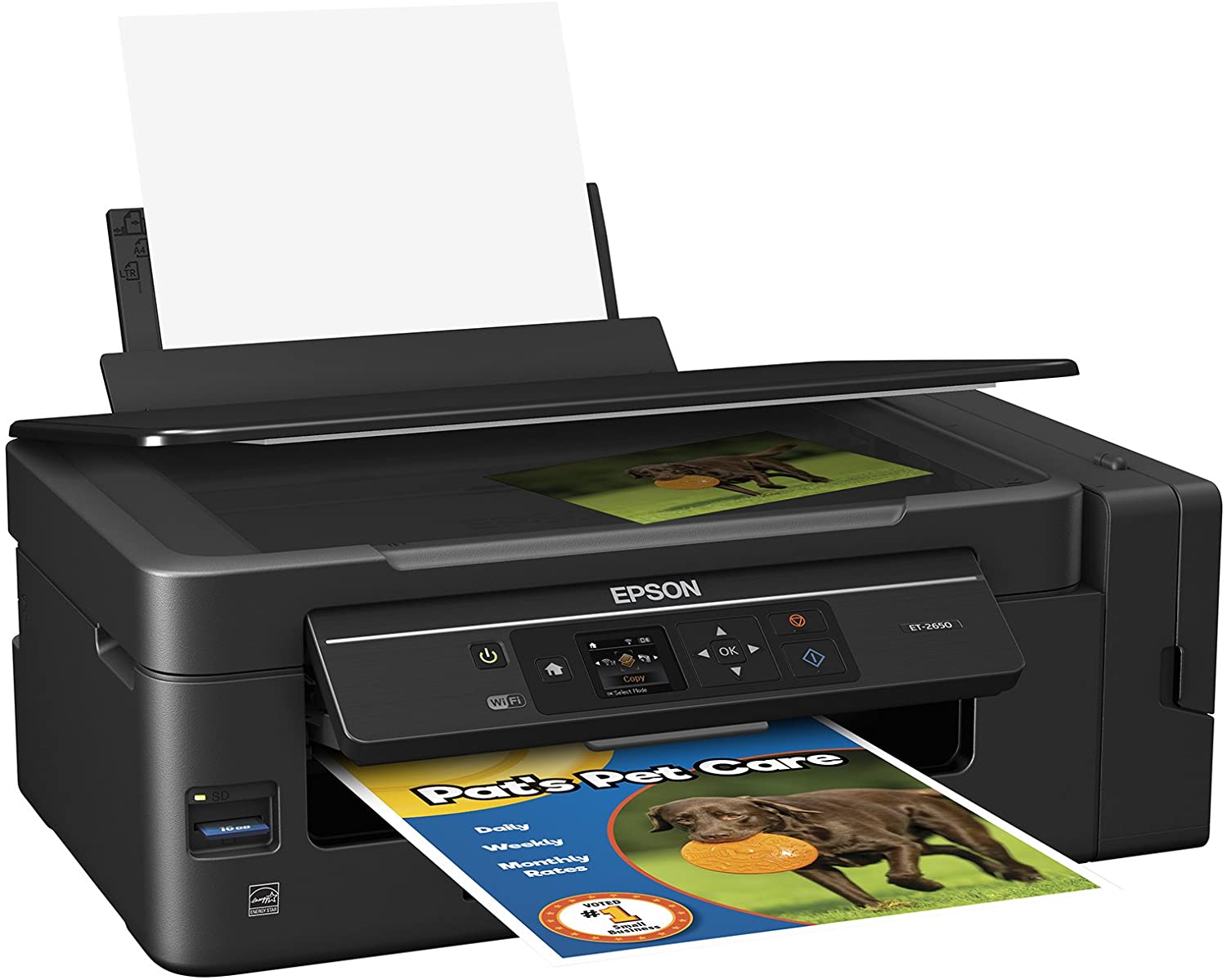
If your coursework needs you to constantly print streams of assignments, syllabi, or term papers all through the school year, getting yourself this Epson Expression will come in handy as it comes with two years of ink – this is the equivalent of 20 printer cartridges.
While it’s slightly more expensive than other printers in our review. The Epson Expression printer includes two years of ink that will save you ink money. It has an inbuilt wireless printing from Wi-Fi direct technology and mobile devices that lets you print even when there is a missing wireless signal.
Pros
- The printer has a colored LCD that measures 1.44-inch enabling you to easily navigate the printer’s menu for wireless network connection as well as setup.
- It has an SD memory card slot feature that allows users to print photos or documents directly without the need for a computer or phone.
Cons
- It’s double the price of all the printers we have in our review list making it slightly expensive.
Brother MFC-J775DW X Inkjet Printer
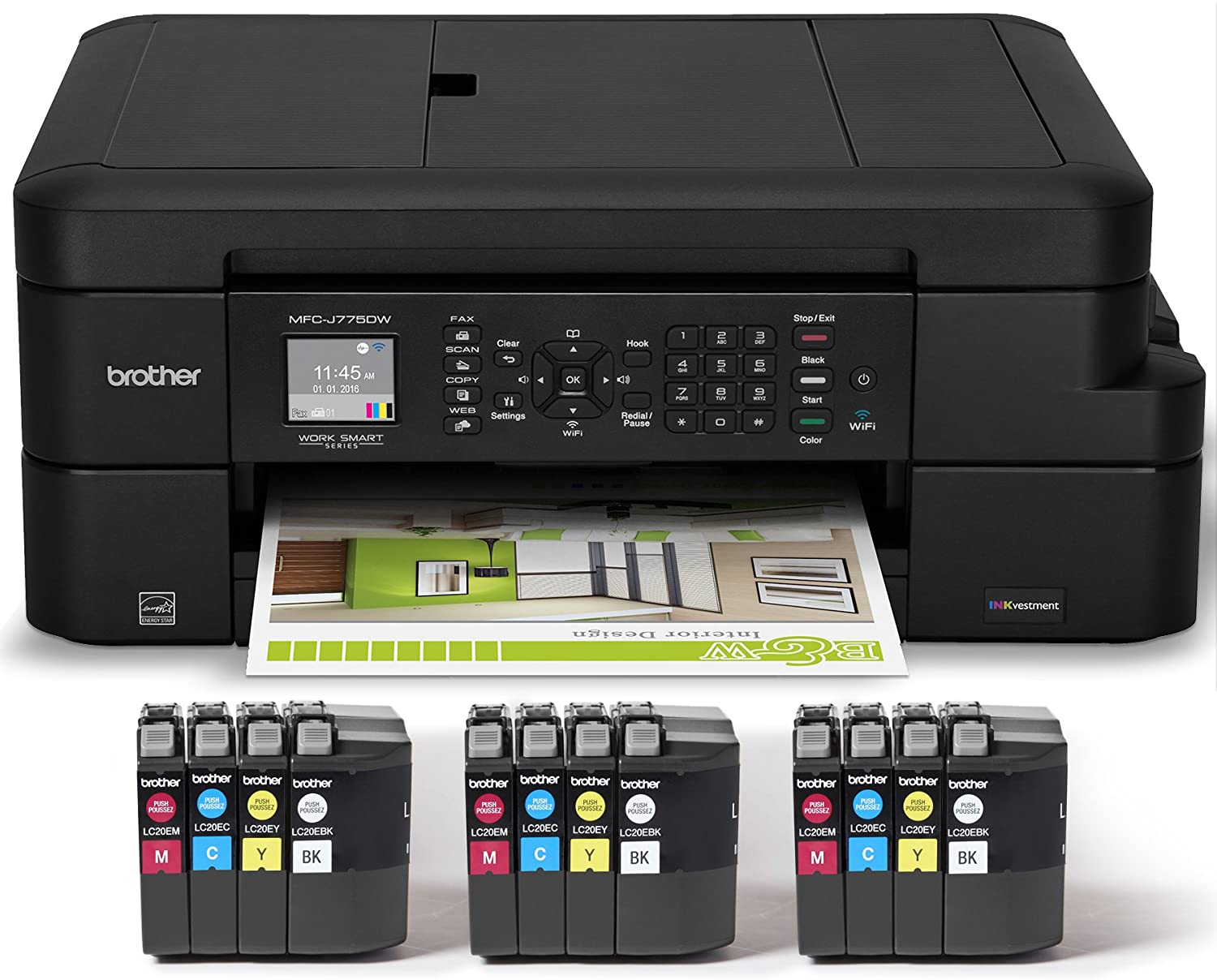
If you’re searching for an inexpensive printer that is multifunctional for your dorm room, consider getting the Brother MFC-J775DW inkjet printer. Its most prominent feature that makes it stand out as well as a good investment for a college student is that it comes with ink that can last you up to two years.
Pros
- Comes with Brother INKvestment cartridges that can keep you going for up to two years
- With the ink available, you can print up to 3,600 color pages and 7,200 black and white pages
- This printer helps you save on printing using the Brother INKvestment which lets you print at less than five cents per page for color and less than one cent per page for black and white
- Enjoy mobile and wireless printing over Wi-Fi which lets you print directly from your desktop, laptop, tablet and smartphone
- Has an automatic document feeder that has a capacity for 20 sheets and another tray that can has a capacity for 100 sheets that are letter size
- You can print or scan your documents to cloud services such as Dropbox, Google Drive directly from your machine
- Reasonably priced
Cons
- It doesn’t work with AirPrint hence not a good printer choice for iPhone users
- Some users have complained about the build of the paper tray
Final Thoughts
A college is a place where a student needs to keep their costs as low as possible. Printing or copying papers should be the least of a person’s concern. That’s why we’ve brought you the best printers for dorms.
We like the HP Envy Photo and Epson ET-4760 for the value that they bring to the table. On the other hand, Brother HLL2395DW and HP DeskJet are the best budget options.
Have you made the choice? If not, then take a look at our list again and pick one from it! You won’t be disappointed.
There are plenty of printers available in the market that can make for a good dorm room printer for students. However, there are various factors that you need to consider before buying one. Apart from space, you also need to factor in your budget, printing needs, ink usage, and whether you need a multifunctional printer or not. The above list should provide a more than adequate shortlist for your selection.